Secure USDT Payment Page
Complete Your STT Payment
Scan QR code or copy wallet address carefully. After payment, send transaction hash or screenshot on WhatsApp / Telegram / Email for fast confirmation and course or algo access.
Selected Product / Course
Loading course...
Pay Amount
$0
USDT BEP20
BEP20 (BSC)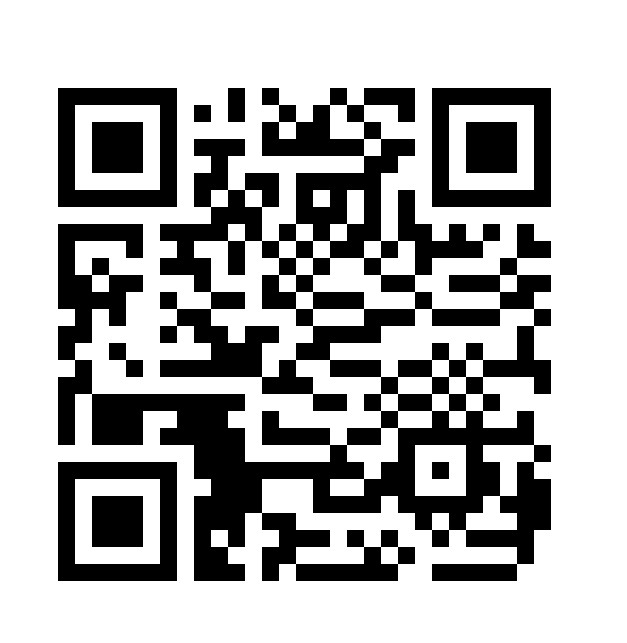
Send only USDT on BEP20 / BSC network to this address. Wrong network payment may not be recoverable.
USDT TRC20
TRC20 (TRON)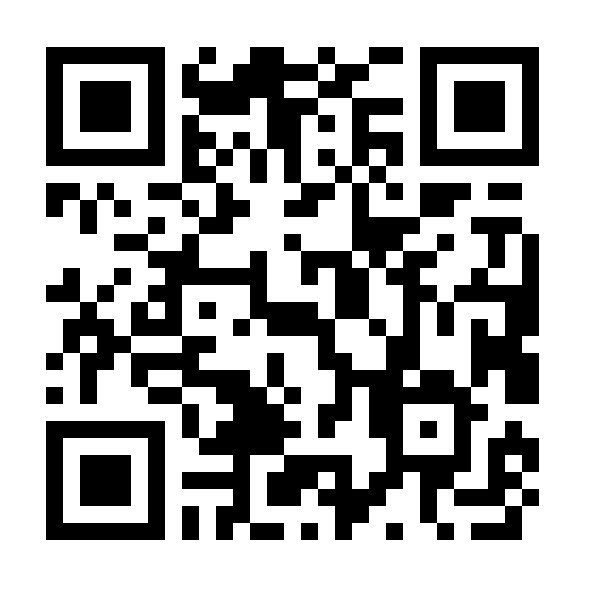
Send only USDT on TRC20 / TRON network to this address. Wrong network payment may not be recoverable.
Payment Verification Process
1
Choose Network
Select BEP20 or TRC20 according to your wallet or exchange.
2
Scan or Copy
Scan QR or copy address carefully before sending USDT.
3
Send Proof
Send transaction hash or screenshot on WhatsApp / Telegram.
4
Get Access
After verification, STT team will guide you for access/setup.
Important: Please double-check selected network and wallet address before payment. STT will never ask for your exchange password, seed phrase or private key.